Tired of paying for API access just to experiment with LLMs? You can run powerful open-source models directly on your own machine — no external dependencies, no cost, and your data never leaves your computer.
Why Run LLMs Locally?
- Privacy — your prompts and data stay on your machine
- Cost — completely free, no API billing
- Development — build and test AI-powered applications without rate limits or latency from remote servers
Method 1: Ollama
Ollama is a CLI tool that makes downloading and running language models as simple as a single command.
Install Ollama from ollama.com/download, then run any model:
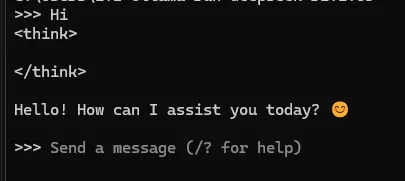
ollama run deepseek-r1That's it. Ollama pulls the model on first run and starts an interactive chat session in your terminal. You can swap deepseek-r1 for any model from the Ollama library:
# Run Llama 3
ollama run llama3

# Run Mistral
ollama run mistral

# Run Phi-3
ollama run phi3
Ollama also exposes a local REST API on http://localhost:11434, so you can integrate it directly into your applications:
curl http://localhost:11434/api/generate -d '{
  "model": "deepseek-r1",
  "prompt": "Explain how transformers work in simple terms",
  "stream": false
}'
Or use it from Node.js:
const response = await fetch("http://localhost:11434/api/generate", {
  method: "POST",
  headers: { "Content-Type": "application/json" },
  body: JSON.stringify({
    model: "deepseek-r1",
    prompt: "Explain how transformers work in simple terms",
    stream: false,
  }),
});

const data = await response.json();
console.log(data.response);
Method 2: LM Studio
LM Studio offers a graphical interface — think of it as a local ChatGPT running entirely on your machine.
- Download from lmstudio.ai
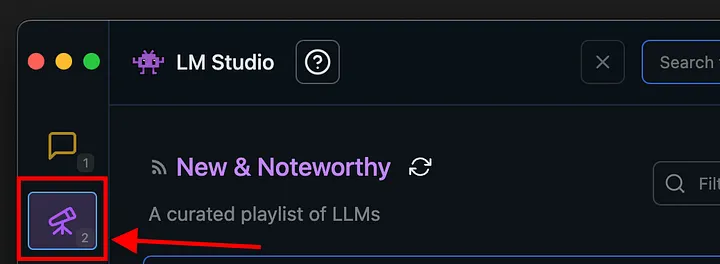
- Open the Discover tab and search for a model

- Download your chosen model
- Switch to the Chat tab, select the model, and start chatting
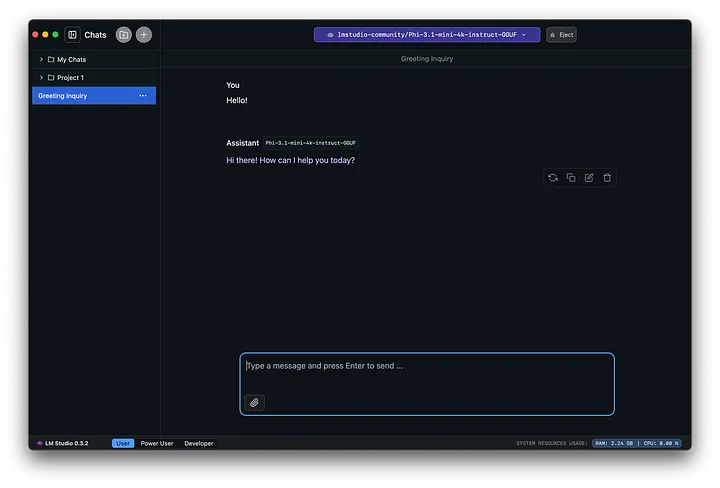
LM Studio also includes a local server mode that emulates the OpenAI API, so you can drop it into any app already using the OpenAI SDK with zero code changes.
Ollama vs LM Studio
| Ollama | LM Studio | |
|---|---|---|
| Interface | CLI + REST API | GUI |
| Best for | Developers, scripting | Non-technical users, exploration |
| Local API | Yes (native) | Yes (OpenAI-compatible) |
| Model library | ollama.com/library | Hugging Face |
Conclusion
Running LLMs locally is easier than ever. Whether you prefer the simplicity of a terminal command with Ollama or the ChatGPT-like experience of LM Studio, you can have a powerful AI model running on your own hardware in minutes — for free.